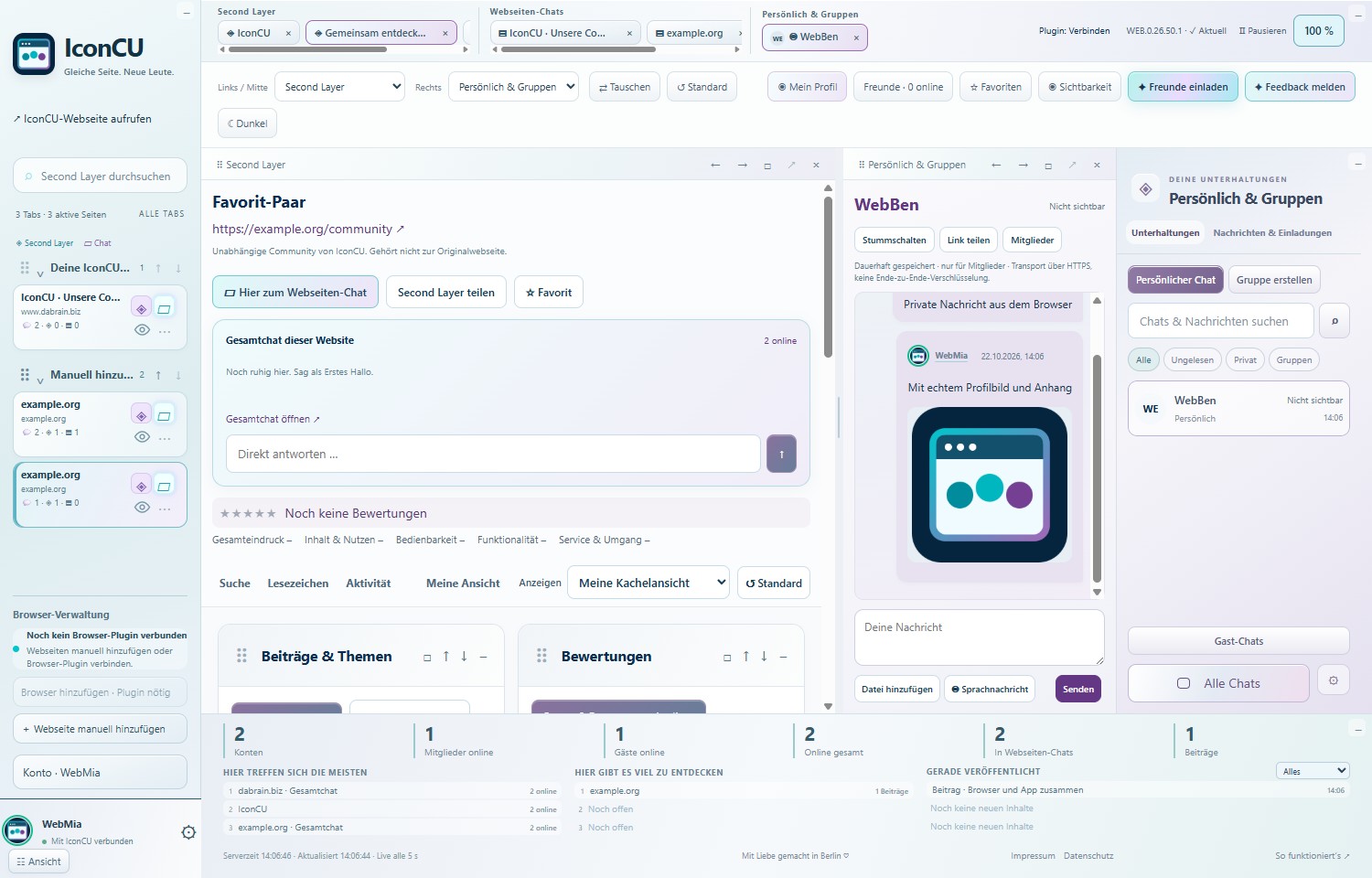
See what IconCU can make of a shared interest in a website. These views come from our app; the content is illustrative.
THE WEB HAS ANOTHER LAYER.
Meet people. Leave your thoughts.
Two sides of one idea: conversation in the moment, and perspectives that stay.
01 / SECOND LAYER
One page. A world behind it.
Text, photos, experiences, comments and stars: in the Second Layer, your perspective stays connected to the website. Others can discover it later, respond and add fresh perspectives.
Real app view with fictional example data · click to enlarge
02 / TOGETHER, LIVE
You’re browsing. So are others. Meet them.
Who shares your interests right now? Meet other visible IconCU users on the same page. Discuss publicly and keep personal conversations going alongside, without losing your website chat.
Real app view with fictional example data · click to enlarge
03 / YOUR EXPERIENCE COUNTS
Stars say a lot. Your words say more.
Rate the website and add your experience. Others can reply directly. Your review stays editable; your vote counts once and the discussion stays together.
Real app view with fictional example data · click to enlarge
Example views, not current visitor figures. Names, conversations and content are fictional. IconCU shows participating, visible IconCU users, not every visitor to a website.
COMMENTS CLOSED?
The conversation can still continue.
IconCU provides its own conversation space for a website. Even when the original page does not allow comments, you can exchange ideas, share experiences and leave reviews in the Second Layer.
Contributions appear in IconCU. The original website stays unchanged. Fair conversations, applicable law and our reporting and blocking tools are part of that space.
Under View, “Shown” and “Hidden” identify active areas. In Second Layer, configure posts, reviews, photos, videos, chat and presence individually. At the bottom, “Just published” shows new public content from different Second Layers, with a filter for each content type.
Your current profile picture accompanies your name even in older chats and comments. Administrators can remove public posts, reviews and media when needed. Private conversations stay private.
WATCH. UNDERSTAND. GET STARTED.
One glimpse. One clear step.
Your next conversation is just a click away. Discover how websites become meeting places.
01 / YOUR WEB IN MOTION
You’re not alone on the web.
Discover websites. Meet people. Keep your ideas.
32 seconds for a fresh perspective. Watch now.
Read all the steps
SAME PAGE. NEW PEOPLE. Choose a website on the left. Open its chat or Second Layer.
YOUR THOUGHTS HAVE A HOME. Share posts, photos and experiences. Others can respond.
TALK. SIDE BY SIDE. Keep a website chat and a personal conversation open at the same time.
THE WEB IS MOVING. Discover active chats and the latest public posts at the bottom.
02 / YOUR WEB IN MOTION
Your space. Your choice.
Online friends, visibility and your workspace.
32 seconds for a fresh perspective. Watch now.
Read all the steps
YOUR PEOPLE. ONLINE NOW. Open “Friends · online” next to your profile. Green rings around profile pictures show visible presence.
VISIBLE? YOU DECIDE. Set your website chat and Second Layer visibility separately under “Visibility”.
MORE ROOM FOR YOUR IDEAS. Drag the tile’s bottom-right corner. Double-click to reset just its size.
YOUR VIEW. YOUR WEB. Choose individual sections or your tile view. “Default” resets the layout.
NOW IN YOUR BROWSER TOO
One link. Your whole IconCU.
Your web. Your conversations. · Example view
Website chats, Second Layer and personal conversations – with the same interface and account as the Windows app.
Our community website is already pinned at the top. Add more web addresses yourself. To connect open browser tabs, use the optional IconCU extension CHR.0.26.38.1 / FOX.0.26.38.1.
Start directly in your browser. Unsaved input is protected during automatic updates. The desktop app adds Windows conveniences such as the taskbar and startup options.